


Pizza Hut - Delivery & Takeout
3.8392.50K Reviews
App Specs
- Version
- 6.1.14
- Updated On
- License
- Free
- Downloads
- 10,000,000+
- Developer
- Pizza Hut Inc
- Categories
- Food & Drink
- Platform
- Android, iOS
Screenshots
 Analysis by AppCompare
I find a dedicated ordering app most useful when I already know what kind of meal I want but still need to make a few choices: delivery or pickup, which items to combine, and whether there is an offer worth using. Pizza Hut - Delivery & Takeout is built around that kind of decision. It gives Pizza Hut customers a direct way to browse, place an order, follow its progress, and earn rewards, rather than asking them to search through a general restaurant marketplace first.
That focus is also the main trade-off. I would reach for it when Pizza Hut is the restaurant I have in mind, especially if I order there repeatedly. If I am still comparing several local restaurants, a broader delivery service is usually a better starting point. This app is not a general guide to nearby food; its value comes from keeping the Pizza Hut order journey in one place.
A practical first order, from menu to doorstep
My simplest workflow is to decide first whether I want delivery or takeout, then browse the menu with the meal in mind instead of adding items impulsively. A pizza can be the centre of an order, while sides or dessert can make sense for a group; checking the whole basket before moving on helps me catch choices that do not fit the occasion. The app’s menu browsing, customization, cart, and order tracking make those steps part of one flow.
For a realistic weeknight example, imagine that I am ordering dinner for a small group after work. I can look through the pizza choices, consider any sides, and customize items before checking the cart. Before placing the order, I would confirm that the selected service method suits the plan and that the basket reflects everyone’s preferences. Once the order is submitted, tracking helps me follow its progress rather than repeatedly guessing when it will arrive.
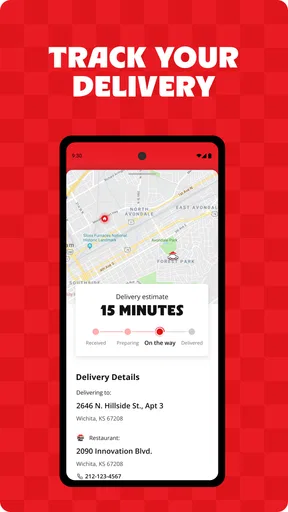
That last step is useful, but I treat tracking as a practical update, not a reason to plan down to the minute. An order’s progress can tell me where it is in the process; it does not make dinner timing perfectly predictable. If guests are waiting or I have a tight schedule, I still leave a little flexibility instead of assuming the food will arrive at an exact moment.
What I would check before tapping order
Customization is handy when the group has different tastes, but I would read each item carefully rather than assuming every possible dietary need is handled automatically. The original review notes that customization can help with preferences such as extra cheese or avoiding gluten. That is useful for choosing an order, but anyone with a serious allergy or strict dietary requirement should verify the details with the restaurant before relying on an app selection alone.
I would also look at the available deals before settling on the basket. A promotion can make a planned order better value, but it is only useful if the items and quantity suit the people eating. My habit is to decide what we actually want first, then compare the deal options against that plan. That avoids turning a tempting offer into extra food we did not need.
Worth Reading Before You Choose

EA SPORTS FC Mobile 26 Is a Bigger Football Game, but It Takes Time

Flipboard Shows What News Apps Must Do Beyond the Feed

Switching to Android Auto Means Rethinking Your Driving Routine

Google Calendar Makes a Crowded Week Easier to Manage

Ludo King Makes the Most of the Minutes Between Plans

Baby Panda World Brings Quick Play to Modern Phones, but Its Game Library Feels Busy
The app is free, and it comes from Pizza Hut Inc. It is a Food & Drink app with an Everyone age rating, so its intended audience is broad. Those details make it easy to understand who publishes it and what kind of service it provides, but the practical question is still whether Pizza Hut is a regular choice for you. If it is, a dedicated account and a familiar ordering routine can be worthwhile; if not, a one-off order may not justify building a new habit around it.
Repeat orders without rushing the details
Saving a favorite order is one of the most useful shortcuts for a regular customer. I would treat it as a starting point rather than a permanent template: it can speed up a familiar meal, but the number of people eating, their preferences, or the occasion can change. A quick review of the saved choices and cart before checkout is safer than assuming last time’s order still fits today.
This is where a repeatable routine helps. I can keep a usual combination in mind, check whether a relevant offer is available, and then adjust the order instead of rebuilding it from scratch. The app also includes a store locator, which makes pickup a sensible alternative when I would rather collect the food than wait for delivery. Checking the location before choosing that route helps me make sure I am planning around a nearby Pizza Hut rather than assuming every branch is equally convenient.
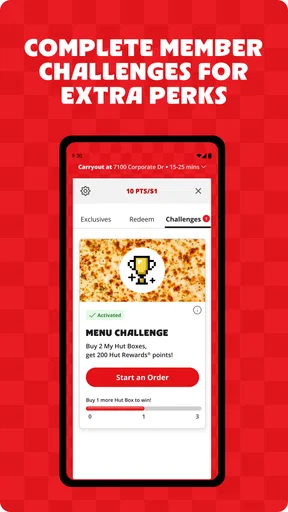
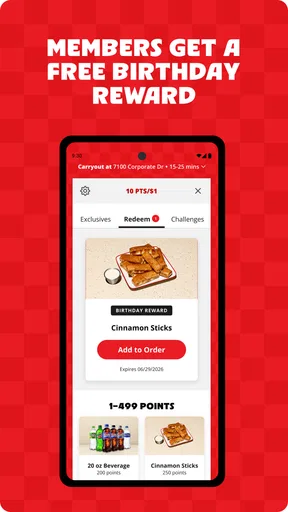
Rewards are part of the app’s purpose, so frequent customers have another reason to use it for repeat orders. I would make a habit of checking the reward information as I order, rather than expecting every purchase to work in a particular way without reviewing the current details. Used thoughtfully, rewards can add value to an order I already planned to place; they should not be the reason to buy more than I want.
How it compares with other ways to order
Compared with a general delivery marketplace, Pizza Hut’s app has a narrower job: it is for ordering from Pizza Hut, not weighing that restaurant against an entire neighbourhood of alternatives. That can make it the more direct choice when I know what I want and care about managing the order through the restaurant’s own app. A marketplace is more useful when I want to compare restaurants or explore cuisines before deciding.
Calling or ordering in person can still make sense when I want a conversation before placing an unusual order, or when I prefer to handle a question directly. The app is more convenient for browsing, customizing, and tracking a standard order at my own pace. Neither route is automatically best: I would choose the app for a familiar basket and use another method when I need help resolving a detail that the on-screen choices do not make clear.
The distinction matters most for dietary questions, complicated group orders, and plans that depend on precise timing. An app makes selections easy to review, but it cannot replace a direct conversation when I need a clear answer about an important constraint. For ordinary preferences, the digital flow is smoother; for unusual requests, I would not hesitate to check with the restaurant instead.
Who will get the most from it
I think the app suits people who order Pizza Hut regularly, like being able to revisit familiar choices, or want to switch between delivery and pickup. It can also help when several people are deciding on a shared meal, because browsing the menu and checking a cart gives the group something concrete to review before the order is placed.
It is less compelling for someone who rarely chooses Pizza Hut, wants to compare many restaurants in one search, or prefers not to use a separate restaurant app. It is also not the option I would rely on to settle a complex dietary concern without checking directly. Knowing those limits makes the choice straightforward: use it when the restaurant and ordering style fit, and choose a broader service or direct contact when they do not.
Its scale suggests that many customers have tried it: the app has more than 10 million installs, with an average rating of 3.8 from around 985,000 ratings and roughly 392,000 written reviews. I take those figures as context, not a promise that every order will go smoothly. The experience still depends on the particular order and service, so I value the practical tools most: a clear cart, useful tracking, saved favourites, and an option to collect instead.
Where the convenience has limits
Ordering through a phone can make a familiar purchase quicker, but browsing pictures and options can also encourage me to add more than planned. I find it helps to choose a rough meal plan first, check the cart once, and avoid treating every suggested extra as essential. That small pause is especially useful when ordering for one or two people, where a group-sized combination may not be the sensible choice.
Another limitation is that an app-based workflow is only as helpful as the information and options presented for the order in front of me. If I cannot confidently resolve a substitution, special requirement, or timing concern from the choices shown, I would stop and contact the restaurant rather than submit a guess. Convenience should reduce friction, not pressure me into accepting uncertainty.
The current version is 6.0.33, and the app dates back to May 17, 2011. It supports devices running Android 7.0 or later. For anyone choosing whether to install it, the main consideration is less about the app’s age than whether their device meets that minimum and whether they expect to order from Pizza Hut often enough to use its saved-order and rewards features.
Getting Started
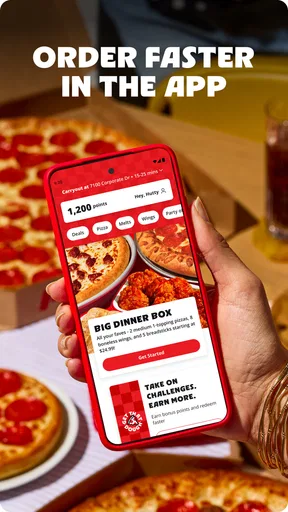
First things first, downloading the Pizza Hut - Delivery & Takeout app is a breeze. It's available for both Android and iOS, so no one misses out on the cheesy goodness. Once installed, I was greeted with a user-friendly interface that made me feel right at home. The design is sleek, with mouth-watering images of pizzas that make you want to order everything on the menu.
Exploring the Menu
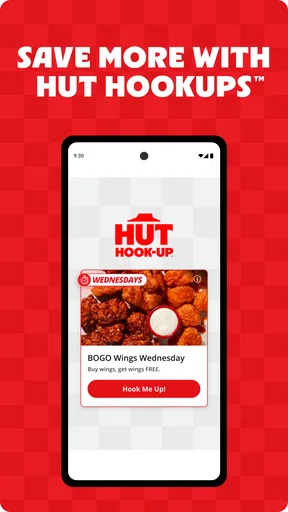
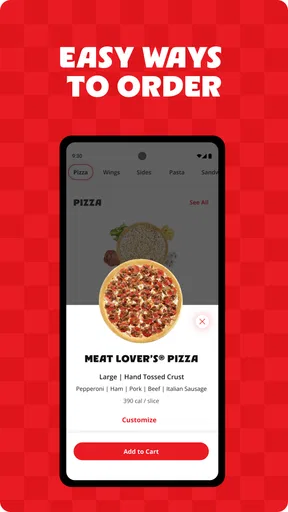
One of the standout features is the extensive menu. You can find everything from classic pizzas to gourmet options, and even sides like wings and desserts. The app also allows for easy customization, so whether you're in the mood for extra cheese or need to avoid gluten, you're covered. I particularly enjoyed the section highlighting deals and offers—because who doesn't love a good pizza deal?
Ordering Made Easy
The ordering process is as simple as it gets. Just select your items, customize them as needed, and add them to your cart. The app offers multiple payment options, including credit/debit cards and digital wallets, ensuring a secure transaction. What I found handy was the order tracking feature. It gives you real-time updates on your pizza's journey, from preparation to delivery. No more guessing when your food will arrive!
Additional Features
Aside from ordering, the app has some nifty extras. You can save your favorite orders for quick access next time your pizza craving hits. There's also a handy store locator if you ever feel like picking up your order instead of delivery. Plus, the feedback option allows you to rate your experience, ensuring that Pizza Hut knows exactly how you feel about their service.
Final Thoughts
Overall, the Pizza Hut - Delivery & Takeout app is a must-have for any pizza lover. It's convenient, easy to navigate, and packed with features that make ordering a pizza a delightful experience. Whether you're planning a cozy night in or hosting a game night, this app ensures you have delicious pizza at your fingertips. So, are you ready to satisfy your pizza cravings? Grab your phone, and let the pizza party begin!
Pros
- User-friendly interface for easy navigation.
- Quick order tracking with real-time updates.
- Customizable menu options for dietary needs.
- Special deals and discounts for app users.
- Seamless payment with multiple options.
Cons
- Occasional app crashes during peak hours.
- Limited customization for certain menu items.
- Notifications can be overly frequent.
- Some locations might have delayed delivery.
- App size is relatively large for storage.
FAQs for Pizza Hut - Delivery & Takeout
What features does the Pizza Hut app offer?
The Pizza Hut app provides a convenient platform for ordering delivery or takeout. Features include easy menu browsing, customization of pizzas, and the ability to save favorite orders. Users can also track deliveries in real-time and access exclusive deals and promotions directly through the app.
How user-friendly is the Pizza Hut app interface?
The app is designed with a user-friendly interface that simplifies the ordering process. Its intuitive navigation allows users to quickly find menu items, customize orders, and apply discounts. The app is organized to ensure a seamless experience, even for those unfamiliar with mobile ordering.
Are there any special offers exclusive to the app?
Yes, the Pizza Hut app frequently offers exclusive deals and promotions that are only available to app users. These can include discounts on specific menu items, deals on large orders, and limited-time offers, providing additional savings for customers who order through the app.
Is it possible to customize my order through the app?
Absolutely! The Pizza Hut app allows you to fully customize your order. Whether you want to add extra toppings, choose a different crust type, or modify ingredients due to dietary preferences, the app provides options to personalize your pizza to your liking before checkout.
What payment methods are accepted on the Pizza Hut app?
The app accepts a variety of payment methods for user convenience. Customers can pay using major credit and debit cards, as well as digital payment options like Apple Pay and Google Pay. This flexibility ensures a hassle-free payment process for all users.


